


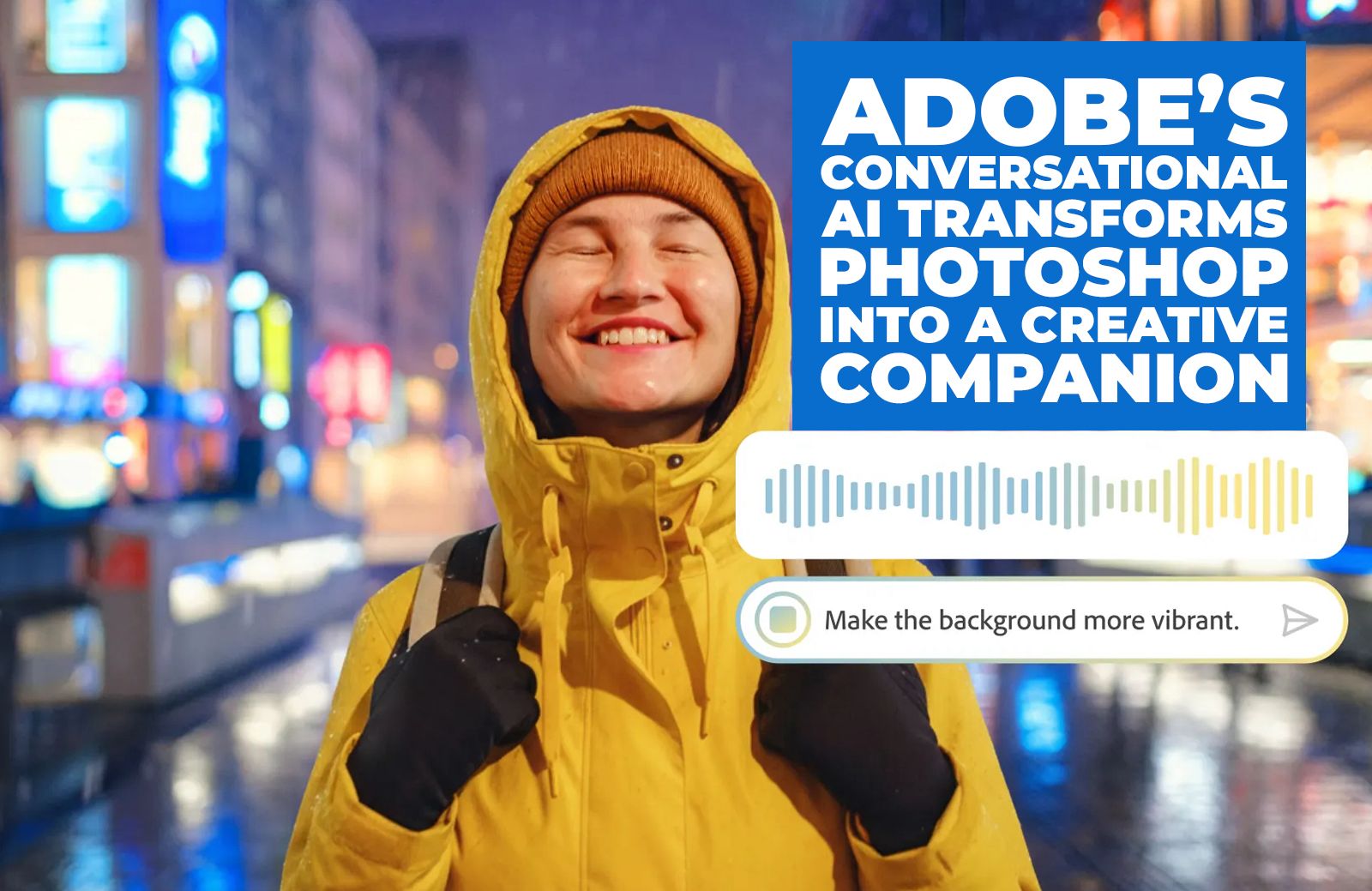
Adobe has launched new conversational AI features in Photoshop and Firefly Image Editor, enabling creators to edit images simply by describing changes. With tools like AI Assistant and AI Markup, users can remove distractions, refine lighting, or add elements with prompts, making creativity faster, more intuitive, and more accessible.
Adobe is reimagining the creative process by embedding conversational AI into its flagship tools, making editing and design more seamless than ever before. With the launch of Photoshop’s AI Assistant and new features in Firefly Image Editor, the company is signalling a future where creators can interact with their software as naturally as they would with a colleague.
The public beta of Photoshop’s AI Assistant is now available on web and mobile, offering creators at every level — from students and hobbyists to professional illustrators, marketers and designers — the ability to edit with confidence, clarity and speed. This innovation builds on Adobe’s broader vision of bringing conversational AI to people wherever they work and create, whether inside Adobe apps like Acrobat, Express and Photoshop, or through third-party platforms such as OpenAI’s ChatGPT and Microsoft 365 Copilot.
At its core, the AI Assistant in Photoshop is designed to reduce friction. Instead of navigating menus or mastering complex workflows, users can simply describe the edits they want. Whether it’s removing unwanted objects, changing a background, refining lighting or adjusting colour, the Assistant interprets natural language prompts and delivers results in seconds. For those who want to learn, it can also guide users step-by-step, turning editing into an educational experience.
Voice commands add another layer of accessibility, allowing edits to be requested on the go. Imagine snapping a photo on your phone and asking Photoshop to brighten the colours or soften the shadows — the Assistant makes this possible without the need to sit down at a desktop.
In Photoshop web, Adobe has introduced AI Markup, a new feature powered by AI Assistant and available in public beta. AI Markup allows users to draw directly on their image and add prompts to control exactly where changes happen. For example, you can mark up a section of a landscape and type in a prompt to add flowers or mountains. Within seconds, Photoshop generates results that blend seamlessly into the original image. This combination of visual annotation and conversational input represents a new frontier in creative control.
Adobe’s innovations are not just about efficiency; they are about unlocking creativity for everyone. By lowering the barriers to entry, conversational AI empowers people who may not have formal training in design or photography to achieve professional-quality results. At the same time, seasoned professionals gain tools that accelerate their workflow and free them to focus on the creative vision rather than technical execution.
Exploring AI Assistant in Photoshop: Practical Examples
Adobe is encouraging creators to start exploring the AI Assistant today, with examples that highlight its versatility:
– Turn a vacation photo into an epic memory: Imagine returning from a trip with a photo that captures the perfect moment — except for the strangers in the background. With AI Assistant, you can simply describe what you want: “Remove the people on the left, brighten the sky, and add a warm glow.” The Assistant handles the edits, transforming a casual snapshot into a polished memory.
– Make your portrait pop: Portrait photography often requires subtle adjustments to bring out the best in a subject. With AI Assistant, you can request step-by-step guidance: “Add a soft glow, boost the colours, refine the lighting, and replace the background with a blurred cityscape.” The Assistant not only applies these changes but can also explain the process, helping you learn how to enhance portraits with confidence.
– Create the ultimate road trip playlist cover: For those who love blending photography with storytelling, AI Assistant can help turn an image into album art. By describing the vibe you want — “Brighten the colours, crop the photo like a playlist cover, and add a retro feel” — the Assistant generates visuals that capture the energy of a road trip. This makes it easier than ever to repurpose personal photos for creative projects.
These examples demonstrate how conversational AI is not just a technical upgrade but a creative partner. By translating human language into design actions, Adobe is making creativity more accessible, playful and personalised.
The Broader Vision: Conversational AI Everywhere
Adobe’s push into conversational AI is part of a larger strategy to embed intelligence across its ecosystem. AI Assistants are already integrated into Acrobat and Adobe Express, helping users summarise documents or generate marketing content. Now, with Photoshop joining the line-up, Adobe is extending this vision to visual creativity.
The company is also ensuring that conversational AI is not confined to its own apps. By connecting with platforms like ChatGPT and Microsoft 365 Copilot, Adobe is enabling creators to access AI-driven workflows wherever they are. This interoperability reflects a recognition that creativity does not happen in silos; it flows across tools, platforms and contexts.
Empowering Creators Across Levels
One of the most compelling aspects of Adobe’s approach is its inclusivity. The AI Assistant is designed to empower creators at every level. Students experimenting with digital art can use prompts to learn editing techniques. Marketers can quickly refine visuals for campaigns without waiting on design teams. Professional illustrators can accelerate their workflows, focusing on the artistry rather than the mechanics.
By offering both automatic edits and guided steps, Adobe is catering to different learning styles and creative needs. Beginners gain confidence through clear instructions, while experts benefit from speed and precision. This dual approach ensures that conversational AI is not just a novelty but a meaningful enhancement to the creative process.
A New Era of Creative Companionship
Adobe’s integration of conversational AI marks a shift in how we think about creative software. No longer just a set of tools, Photoshop and Firefly are becoming companions that understand and respond to human intent. This companionship is not about replacing creativity but about amplifying it, removing obstacles and enabling ideas to flow more freely.
As Adobe continues to refine these features, the possibilities are vast. From collaborative editing powered by shared prompts to personalised AI that learns a creator’s style, conversational AI could redefine the relationship between humans and technology in the creative space.
For now, the public beta of Photoshop’s AI Assistant and AI Markup offers a glimpse into this future. By inviting creators to explore, experiment and provide feedback, Adobe is ensuring that its innovations are shaped by the people who use them.
Adobe’s latest innovations in conversational AI represent more than just technical upgrades; they signal a new era of creativity. By making editing as simple as describing what you want, Adobe is empowering creators to work with greater confidence, clarity and speed. Whether turning a vacation photo into an epic memory, making a portrait pop, or designing a playlist cover, the AI Assistant in Photoshop is proving that the future of creativity is conversational.
With Firefly Image Editor and integrations across Acrobat, Express, ChatGPT and Microsoft 365 Copilot, Adobe is building an ecosystem where AI is not just a tool but a partner. As conversational AI becomes a seamless part of creative workflows, the boundaries between imagination and execution are dissolving — and the possibilities for storytelling and design are expanding like never before.
Discover more from Creative Brands Mag
Subscribe to get the latest posts sent to your email.













Leave a comment